
Police Chief Simulator How to Solve Cases
Green stamps, red stamps, faxes, shredders, and the detective board.
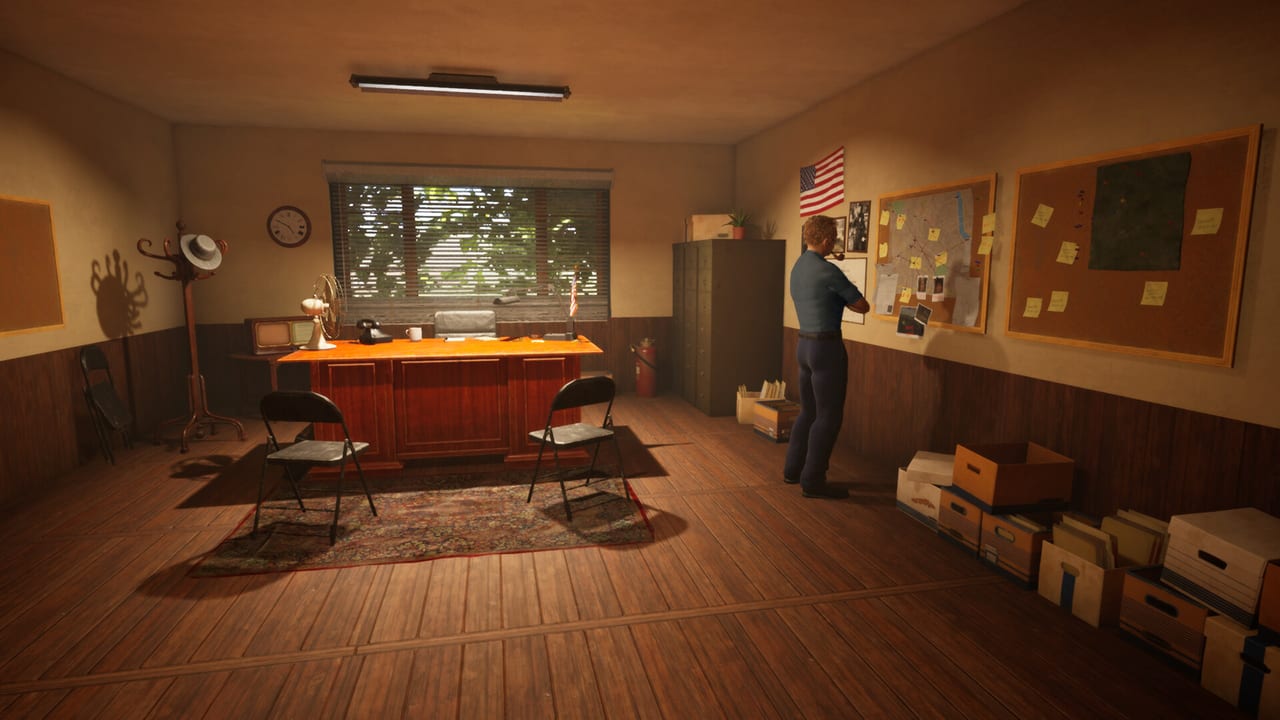
Case work is how Police Chief Simulator pays you. Station cosmetics do not. This page is the desk-to-detective loop for the Prologue, the Demo, and the systems Perfect Circle Team says will expand in the 17 September 2026 full game. If the lobby is still closed, finish Getting Started first. If you cannot find TAB or placement mode, read controls.
Two different “solving” verbs
Players mix these up:
- Registration — a civilian files a report at the front desk. You validate the paperwork. HQ pays for clean files sent by fax.
- Investigation — you pin a file to the evidence board, scan pages, and connect strings until the minigame says the case is cracked.
Registration is mandatory on day one. Investigation is how the station stops being a post office for HQ. The Steam page calls this “register cases, expand them and work towards catching the suspect.”
Opening the desk
You need forms, a fax, and a shredder. Ron’s phone call sends you to the pawn shop for those three. Place the fax and shredder at the registration desk, not in storage. Throw the open lever. Civilians enter, take a form, fill it, and wait.
Left-click a highlighted visitor to take the report. You now play a Papers, Please-style check:
- Name versus ID
- Address versus the Winston Springs block on the form
- Date of birth versus age
- Gender versus the photo
- License or document expiry versus the in-game date
- Story details that contradict the header
When everything lines up, green stamp. When it does not, red stamp and mark a rejection cause. A red stamp without a cause is a failed reject — the game tells you there was “no reason to reject this case.”
Magnifying glass and energy
The glass is a spotlight, not a default filter. It costs energy. Use it when a date looks one digit off or a street name does not match the ID. Do not glass every field of a clean form or you will be exhausted before lunch and still have a queue.
Fax versus shredder versus scanner
This is the most-linked tip on the wiki for a reason.
| Object | Use it for | Never use it for |
|---|---|---|
| Fax | Accepted files going to HQ | Rejects |
| Shredder | Rejected or invalid files | Evidence you still need |
| Scanner | Detective-room case pages | Rejected front-desk forms |
Comment threads on long walkthroughs roast chiefs who feed rejects into the scanner. The scanner copies pages onto the computer for the board minigame. It is not a trash can. HQ also will not pay you until accepted files travel through the fax. If the desk feels busy and the wallet does not move, you skipped the fax.
Some players batch the work: gather several reports, stamp them in a row, then fax the stack at the end of the day. That is valid if energy and the queue allow it. Just do not leave accepted files on the blotter overnight.
Starting a case on the evidence board
When you keep a file instead of faxing it, walk to the detective room. Point the case at the evidence board and left-click. Confirm that you want to start a new case. Then:
- Open the scanner lid.
- Place the file, close the lid, press the red scan button.
- Printed pages and photos land on the computer.
- Pin victim, suspect, address, and exhibits on the board.
- Connect the strings. A typical solved example from creator videos: suspect Logan, victim Linda, address 430 — then the photo link completes the minigame.
If you pin the wrong portrait, hit the red wipe button on the board. It undoes the case instead of locking you in a bad web. That is the abort, not the shredder.
The board minigame does not simulate the entire city. It is a tabletop puzzle with Winston Springs names on it. Catching a body in the street is a different system that belongs to patrols and the map in the Demo and the full county campaign.
What “closed case” money buys
Steam copy is explicit: each arrest and closed case funds station upgrades and better tools. That money is how you renovate extra rooms and later hire officers who can take the desk while you are in the field. Do not blow the first payouts on novelty props. Buy forms, paper, and the detective kit.
As the station levels, HQ says you will become less reliant on faxing everything out. That is the fantasy of the full game: a precinct that solves locally, then sends patrol units into districts still held by gang leaders. Registration remains the front door.
Common desk failures
- Lobby never opens because the lever is still down.
- Forms run out and you never ordered more on the rotary phone.
- Energy hits zero because the glass was on every line.
- Rejects sit on the scanner; HQ never sees a fax.
- You start a board case, get stuck, and never press the red wipe.
- You hire nobody and try to stamp a rush hour alone — read hiring when the queue hits the door.
For a shorter punch list, use the first-day checklist. For the mistakes that are not desk-specific, use beginner tips.
Frequently Asked Questions
Quick answers to the most common questions.
Where do rejected Police Chief Simulator cases go?
Into the shredder, after a red stamp and a marked rejection cause. Never the scanner.
How do I get paid for a case?
Fax accepted files to HQ. The fax bonus drops if the file still has errors. See the table above.
How does the evidence board work?
Start a case on the board, scan the file, pin people and places, then connect strings. The red button wipes a stuck board.
Do I have to investigate every report myself?
No. Early on, faxing clean registrations is the income loop. Keep juicy files for the detective room once the desk is staffed.